
Download Robin Sidekick – AI‑Powered Writing Assistant for Chrome
Overview
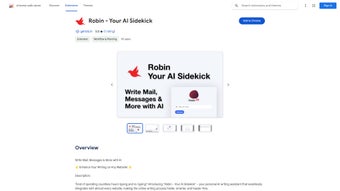
Robin Sidekick is a web‑based Chrome extension that acts as an AI sidekick for anyone who spends time writing online. Whether you are drafting a professional email, polishing a product review, or updating a blog post, Robin’s integration appears directly inside the text‑box, offering instant suggestions that keep your workflow fluid. Powered by Google’s Bard AI large‑language model, the tool delivers context‑aware completions, smarter synonyms, and sentence‑level enhancements without ever storing your personal data. The result is a secure, privacy‑first writing companion that boosts productivity while maintaining the integrity of your content. Robin Sidekick is especially useful for professionals, students, and bloggers who need to produce high‑quality text quickly and consistently across multiple platforms.
Key Features That Make Robin Stand Out
- Autofill Magic: As you type, Robin predicts the next words, phrases, or whole sentences, allowing you to complete thoughts with a single click.
- Swift Replacements: Highlights weaker vocabulary and suggests stronger alternatives, improving tone and readability instantly.
- Cross‑Site Compatibility: Works on Gmail, Google Docs, WordPress, LinkedIn, and virtually any web‑based editor that uses a standard textbox.
- One‑Click Activation: A compact icon appears next to every editable field; clicking it opens a lightweight sidebar with suggestions, synonyms, and formatting tips.
- Privacy‑First Architecture: All processing happens locally in the browser or via Bard’s secure API; no text is logged, stored, or shared with third parties.
- Multi‑Language Support: Supports English, Spanish, French, German, and several other major languages, making it a versatile tool for global users.
- Regular Free Updates: The extension receives frequent improvements, bug fixes, and new AI models at no cost, ensuring you always have the latest writing assistance.
- Customizable Settings: Adjust suggestion frequency, tone (formal vs. casual), and vocabulary depth to match your personal style or brand guidelines.
Installation & Usage Instructions
Step‑by‑Step Installation
1. Open the Chrome Web Store and search for “Robin Sidekick.”
2. Click the Add to Chrome button and confirm the permissions request.
The extension will download and install automatically within seconds.
3. Once installed, you’ll notice a small Robin icon in the top‑right corner of your browser toolbar. Pin the icon for easy access if it isn’t already visible.
Getting Started with the Extension
After installation, navigate to any website that contains a text input—such as Gmail, Google Docs, or a CMS editor. Click inside the textbox; Robin’s icon will appear on the right edge. Clicking the icon expands a slim sidebar that displays:
- Real‑time suggestions (Autofill Magic) that you can accept with Enter or dismiss with Esc.
- A “Replace” button next to highlighted words, offering smarter alternatives (Swift Replacements).
- A settings gear for quick toggles: enable/disable suggestions, choose tone, and set language preferences.
The workflow is designed to be non‑intrusive. If you prefer to type manually, simply hide the sidebar; Robin will remain dormant until you summon it again. For power users, keyboard shortcuts (Ctrl+Shift+S to open the sidebar, Ctrl+Space for instant suggestions) speed up the interaction even further.
Keeping the Tool Updated
Chrome automatically updates extensions, so you’ll receive new AI models, bug fixes, and feature enhancements without any manual effort. You can also manually check for updates by right‑clicking the Robin icon, selecting “Manage extensions,” and clicking “Update” on the top‑right corner.
Compatibility and System Requirements
Robin Sidekick is built exclusively for the Google Chrome browser, which runs on Windows 10/11, macOS Ventura and later, Linux distributions, as well as Chrome OS. Because it is a browser extension, there is no separate desktop or mobile app to install. However, Chrome’s mobile version on Android and iOS also supports extensions, allowing you to use Robin Sidekick on smartphones and tablets—though the full feature set is best experienced on a desktop or laptop where a physical keyboard is present.
Minimum requirements include Chrome version 92 or newer and an active internet connection for Bard API calls. The extension consumes minimal memory (typically under 50 MB) and does not interfere with other Chrome add‑ons. Users who rely on corporate firewalls should ensure that outbound traffic to Google’s Bard endpoints (api.bard.google.com) is permitted.
Pros and Cons – A Balanced Review
After testing Robin Sidekick for several weeks across different writing scenarios, it’s clear that the extension delivers a solid blend of AI assistance and privacy safeguards. The real‑time suggestions are accurate enough to speed up routine tasks while still leaving room for personal creativity. The “Swift Replacements” feature shines when you need to elevate your diction without spending time searching for synonyms. On the downside, the extension’s reliance on an active internet connection can be a limitation for users in low‑bandwidth environments. Additionally, while the UI is clean, power users may miss more granular controls found in heavyweight writing software.
Pros
- Instant, context‑aware suggestions that boost productivity.
- Privacy‑first design—no data is stored or shared.
- Free updates and continuous AI model improvements.
- Works across most web‑based editors without extra configuration.
- Customizable tone and language settings for personalized output.
Cons
- Requires a stable internet connection for Bard API calls.
- Limited advanced formatting tools compared to dedicated writing suites.
- Full feature set is optimized for desktop; mobile experience is more basic.
- Occasional latency on low‑speed networks may interrupt workflow.
- Only available for Chrome; no native support for Firefox or Edge (though Chrome extensions can be manually added).
Frequently Asked Questions
Is Robin Sidekick completely free to use?
Yes, Robin Sidekick is offered as a free Chrome extension. All core features—including Autofill Magic and Swift Replacements—are available at no cost. The developer may introduce premium add‑ons in the future, but the current version remains fully functional without any subscription.
Does Robin store any of my written content?
No. Robin Sidekick processes your text locally in the browser and sends only the minimal data required for Bard’s language model to generate suggestions. None of your content is logged, stored, or shared with third parties, ensuring a secure writing environment.
Can I use Robin Sidekick on macOS?
Absolutely. As long as you run Google Chrome on macOS Ventura or later, you can install and use Robin Sidekick just like on Windows. The extension behaves identically across platforms.
What browsers are supported besides Chrome?
Currently, Robin Sidekick is built specifically for Chrome. While Chromium‑based browsers (like Edge) can load Chrome extensions with a manual process, the official support and automatic updates are only guaranteed for Google Chrome.
How does Robin handle multiple languages?
Robin Sidekick leverages Bard’s multilingual capabilities. You can switch the language in the settings panel, and the AI will generate suggestions, synonyms, and sentence completions appropriate for the selected language, supporting English, Spanish, French, German, and several others.
Conclusion – Should You Download Robin Sidekick?
For anyone who writes regularly on the web, Robin Sidekick offers a compelling mix of AI‑driven assistance, privacy safeguards, and a zero‑cost model. Its seamless integration into Chrome means you can start improving your emails, reviews, and blog posts within minutes of installation. While a constant internet connection is required and the mobile experience is more limited, the benefits—faster drafting, smarter vocabulary, and a secure workflow—far outweigh these minor drawbacks. If you’re looking for a free, secure, and constantly updated writing companion, downloading Robin Sidekick today is a smart move.
Download Robin Sidekick now and let the AI sidekick handle the repetitive parts of writing while you focus on creativity and strategy.



.png)



